
Blog
Thoughts, tutorials, and rants about software engineering, design, and building products.
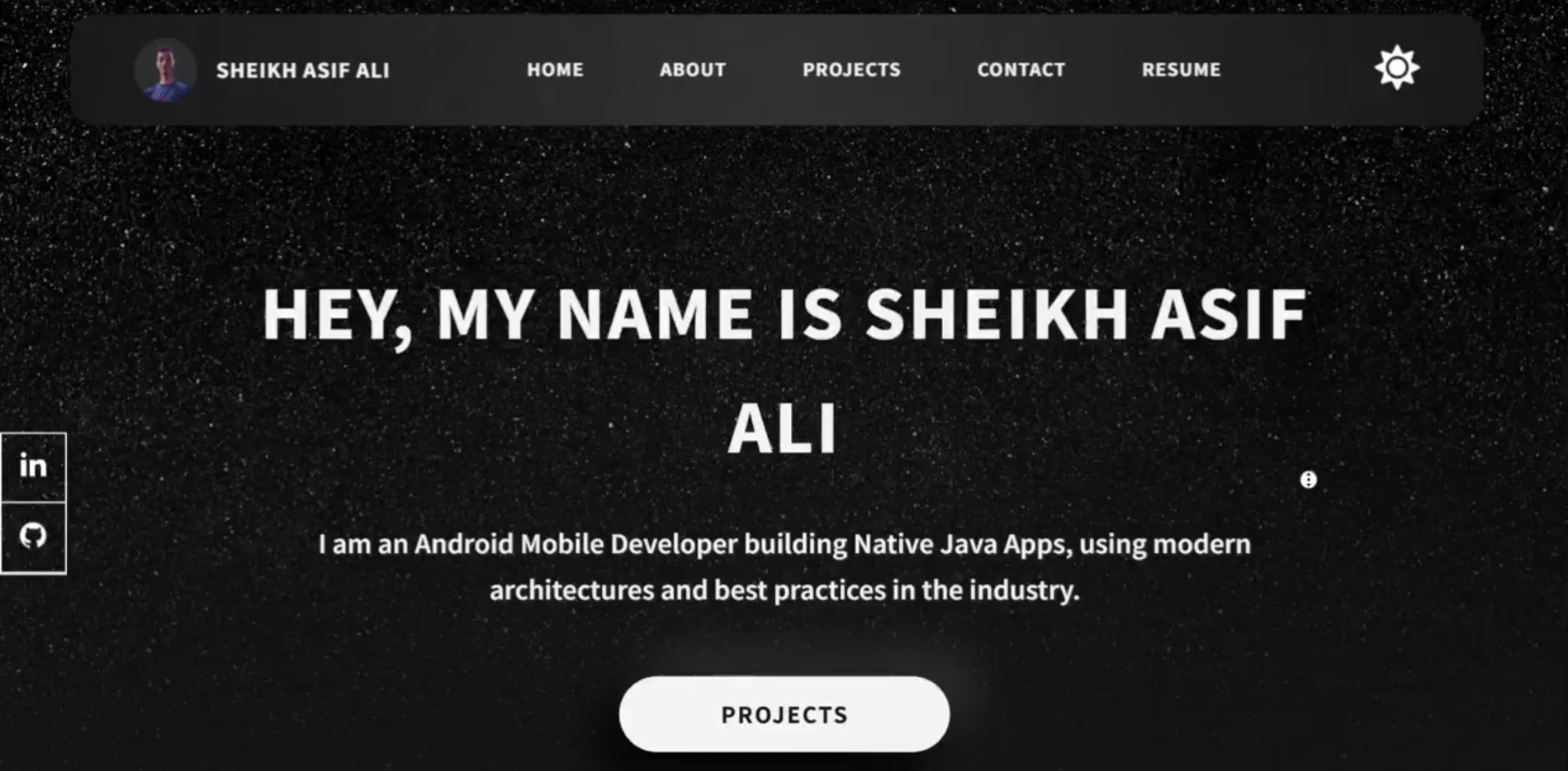
My First Portfolio Ever
🌟I set out on a journey to create my portfolio, and the outcome was surprisingly rewarding. It was no small feat to accomplish this in such a short time, but the results made it all worthwhile. 💯Although I'm doing Android making this portfolio improved my Web Development skills, but also how to develop good looking UI/UX and how to solve bugs. 🔸Even though I used a template, I customized it the way I want. I added Dark mode, used Neumorphism. It's the most personal project undertaken by me. ☺While I won't claim that the process was without its challenges, the end result speaks for itself. My portfolio now stands as a testament to my skills, experiences, and achievements, and it's already making a positive impact. ✋If you're considering building your own portfolio but are worried about the time commitment, I'm here to tell you that it's absolutely doable. With dedication, efficient planning, and a sprinkle of creativity, you can achieve impressive results in a relatively short time. Your portfolio can be your ticket to new opportunities and professional growth.
✨I Built Hue Calculator: My First 'actual' Android App✨
https://lnkd.in/gFPWPMDf I just released my first ever Android app. Yes, it's "just" a calculator, but for me, it's a technicolor milestone. This might seem like a simple project, but trust me, the journey was anything but. The recipe for the app was simply Java, XML layouts, and endless debugging sessions. But with each stumbling block, I learned (sometimes the hard way!): AI are your friends: Even though Stack Overflow and Android's Documentation helped me, Google's Bard and Chat GPT helped a lot to answer a lot of questions in a way a beginner like me could understand. So it's a great way to learn if used correctly. Patience is a developer's superpower: Bugs will happen, code will break, and frustration will flare. But taking a deep breath, googling like a pro, and trying again always led me closer to that magic "Build Successful" Message. Small wins are BIG wins: When I finally got that button to change color with every tap, or the numbers to animate smoothly on the screen, it felt like coding fireworks exploded in my brain. Every step, however tiny, is a victory dance. It's a tangible testament to all the hours I wrestled with code, the "aha!" moments that fueled my progress, and the sheer joy of creation. ✨ So, here's to first apps, messy code, and the endless possibilities of learning. What will you build next?
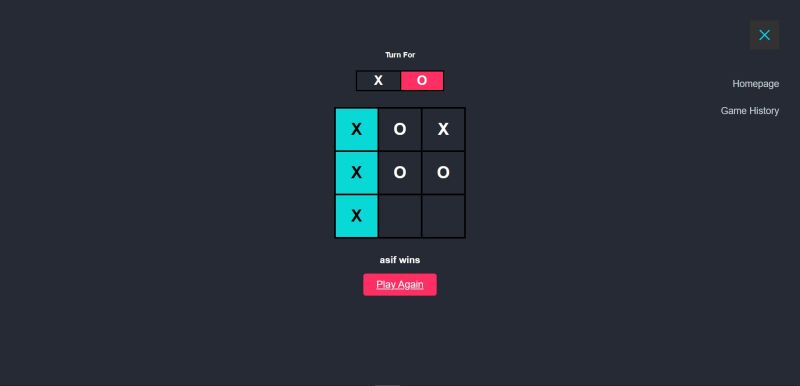
✨Learning Update✨
This semester, my friend and I decided to breathe new life into the classic game of Tic-Tac-Toe. We envisioned a project that showcased both technical skill and a user-centric approach. For the backend, I took a bold step and dove headfirst into Springboot, a framework new to me. Countless hours on YouTube and debugging sessions later, I emerged victorious! The result? A robust database that not only stores player names but also tracks their game history, allowing them to revisit past battles. My Friend, the mastermind behind the frontend, championed a clean and minimalistic aesthetic. He skillfully crafted the user interface using HTML, CSS, and JavaScript. To add a touch of polish, we incorporated toastr notifications, creating a delightful user experience. This project transcended the boundaries of just a game. It transformed into a valuable learning experience, fostering effective collaboration between us. We honed our skills in testing, debugging, and ultimately, crafting the best application we could. It was a journey filled with challenges, laughter, and a deep sense of accomplishment.
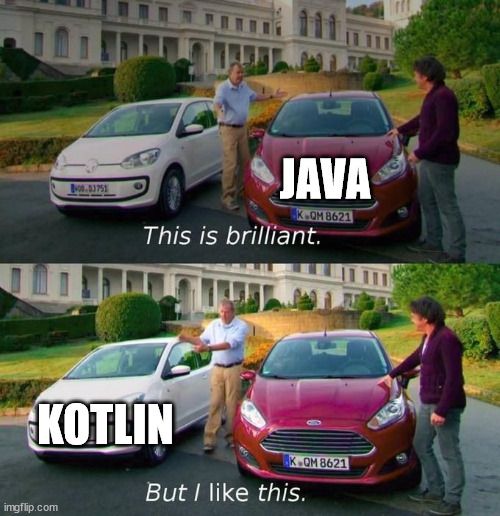
✨How Kotlin Broke Me✨ (In a Good Way)
When I initially started Android Development, I didn't know much about it but just wanted to start creating apps. I already knew how to write Java applications so I chose Java as the language of my choice, and thought why use Kotlin when Java can do the same thing. Boy was I wrong! As time went by I realized that Java isn’t used that much anymore, and developers have already switched to Kotlin. Google officially recommends Kotlin as well. So I decided to learn Kotlin. And how did I do it? 🤔 I had already written a Java Android App, so I set my goal to rewrite the entire app in Kotlin.🎯 I first got used to the syntax by reading the documentation and using Kotlin’s official Koans platform (Highly recommended if you’re a beginner). The docs were great. Kotlin just felt like Java but without so much boilerplate and verbosity. It just made things so much simpler. I kept the app written in Java on one side of the screen and tried writing the same code but in Kotlin. Initially it was a bit challenging but as I progressed and completed the app I felt confident in my skills. While the performance gains in my small app weren't massive, Kotlin's potential for improvement likely shines in larger projects. 👩💻 There have been so many moments when I was awestruck by the features of Kotlin. Like so many things just made sense. Now Kotlin is so fun, I don't think I can go back to Java after this. It has broken me... I still have a lot to understand and learn about Kotlin, but it's been amazing so far and I learned a lot of things about Kotlin as well as android. So i will be sharing some of the things i learnt here and on other platforms. So stay tuned and look out for some cool stuff.
✨My First Time with Firebase✨
I had never used Firebase🔥 before but had always heard it being mentioned in tech circles. So I figured, why not try using it and create something? 🏗The creation? 💬Meet Chatty, a sleek Android chat application built with Firebase, offering real-time messaging and secure user authentication. Leveraging Firebase's Realtime Database, Chatty ensures instant message delivery. Chatty provides a modern and user-friendly communication platform. Designed using Material Design principles and drawing UI inspiration from today's messaging apps, it ensures maintainability, scalability, and an intuitive user experience. 📑I watched a few videos and read some documentation to create it, and honestly, it was such a breeze. Firebase handled most of the complex tasks, such as storing data and authenticating users, and it was just so straightforward. I've not gone in-depth with Firebase yet, but I will definitely explore more of what it has to offer. 👩💻Also, I have the app code on my GitHub profile if you want to check it out. https://lnkd.in/gfVj6fqx
My First Flutter Experience as a Native Android Dev! 🚀
First a little background. I have been developing native Android applications for quite some time now and had always heard of Flutter being the new framework in town for application development. Now, if you’re reading this, there’s a high chance you know what Flutter is, so I won’t be going into that. What I’ll do instead is explain how I, a native Android developer, feel about it. 🙂 How I Started Like always, I started reading the official Docs and supplemented it with a tutorial that covers the framework basics. This time, I chose something different: FreeCodeCamp’s Flutter Tutorial created by Vandad Nahavandipoor. One of the longest videos on FCC, yet filled with so much valuable content and such a great teacher. It’s a must watch, seriously. What I Built? After reading the docs and getting familiar with Flutter, I felt confident in my Flutter skills, knowing I could create basic apps with functionality and design. Then came an assignment from a company hiring Flutter developers. I thought it was a great challenge to test my skills, and this app is the result of that assignment. (video here) Press enter or click to view image in full size How I Built It? It’s a very simple app. It fetches news from the NEWS API using the ‘Dio’ package and displays a list of the news. I also added a search bar to let users search for specific news articles. Sounds very simple, and it was to an extent but for a beginner like me, it was a great challenge which I accomplished🔎 Let’ s talk about the Pros… Declarative UI: It’s a breath of fresh air! Coming from XML-based UI design, while XML wasn’t perfect, it got the job done. However, managing separate files for UI and logic often became hectic. In Flutter, you simply code what you want. While I haven’t used it extensively, it already feels great. 🎨 The Packages: The variety of community-made packages is astonishing! As a developer, I can use these packages to simplify tasks. Native Android also has libraries, but Flutter has more variety, and adding them is super simple: just run flutter pub get package_name. 📚 Cross-Platform: This one’s no secret: code for one platform, and it runs everywhere! I can run the app on my Android device, iOS, or even as a website on Chrome. Although I haven’t tried desktop (Windows/macOS/Linux) or embedded devices yet, it’s amazing to think a single change, like updating a button color, works across all platforms! Mind-blowing. 😱 ListView.builder: As someone who has implemented RecyclerView countless times in native Android, I can confidently say ListView.builder is a game-changer. It’s so much easier and cleaner to implement. And honestly, I don’t want to go back to RecyclerView ever again! 🎉 And the Cons… The Setup: Maybe it’s just me, but I struggled to get everything set up properly. Despite having VS Code, Android Studio, Java SDK, Flutter, and everything else installed, I kept encountering errors. After reading numerous Stack Overflow posts and using AI assistance, I finally got it working. Adding Firebase was another challenge, but in the end, it works beautifully. 😅 Realtime Visual Updates: While Hot Reload is amazing and almost instantly updates the UI (seriously, how do they achieve that without rebuilding the app?!), I still miss the natural feel of XML. With XML, you can visually move views on-screen and then fine-tune them. In Flutter, especially as a beginner, you need to have a mental image of how widgets will interact. It hasn’t fully clicked for me yet, but I hope it gets easier with experience. 🌱 Conclusion! So far I like it. With time who knows where flutter will be. With more experience I will get better at flutter and then maybe I will write an update to this one Learn about Medium’s values I’m still a beginner, so some of the things you might find as pros or cons aren’t mentioned here, or you may disagree with my take — and that’s okay! After all, this was my experience with Flutter, and yours could be different. Feel free to correct me if I’m wrong somewhere, or share your own pros and cons in the comments. 🙌 ✨Source code for the app. This is my first time writing for Medium so I will really appreciative if you could tell if you like it. You can contact me here… 📧 Email: contactsheikhasifali@gmail.com 🔗 LinkedIn 💻 GitHub 🌐 Portfolio Thanks for reading.
How to run Deepseek-R1 on your PC/Laptop, like a AI Companion Bot.
So Deepseek is the latest AI model out there, and it’s open source and is said that it’s on level with OpenAI’s o1. So I wanted to test it out and see how cool it is. and spoiler alert, it’s really cool. So let me tell you first how I ran it on my laptop. Prerequisites The first step is to have ollama installed and the easiest way is to run the ollama installer on Windows. OllamaSetup Link Here After it’s installed, simply open a terminal window. Then you can choose which model to download, there are multiple models available with different parameter weights. List Here(for Deepseek-R1) I used the 7b variant (4.7 GB), but you can choose whichever, and what your device can support. The 671b (Largest of them all) is 404 GB in size. 1.5B is just 1.1 GB. Download the deepseek-r1:7b model. In a terminal window, enter ollama pull deepseek-r1:7b While downloading, I got multiple times saying a EOF error. Just run the command again, it will start from where it stopped. Run deepseek-r1 ollama run deepseek-r1:7b You can now directly prompt it in the terminal itself, the more challenging the question, the more it thinks, and works locally so you can even turn of the internet and it’ll still run. What Can You Do… Coding: I asked it to create a simple function to solve one of my issues, the prompt I gave was a bit vague, so it started by thinking and reasoning and we can actually see what its thinking, but because the prompt was vague it thought for way to long so i stopped it. Then tried with a better prompt, defining constraints, input, example output. Then it thought again and this time it was much more clear and actually gave the correct function. So a developer can ask it questions, and can read the thought process to understand why it wrote the function the way it did. Great for people who are learning. DSA: Pretty much the same like coding. I gave it the 2 sum problem, and it thought about it, had the constraints, input, output, time and space complexity, used hashmap to solve it, and even had though about edge cases and lists all the reasons it did a particular thing. So good for understanding DSA too, although, have to test for hard level problems. Literature: So something different than software. I told it to write a poem on a topic. And constrained it to a few lines. The topic? Download the Medium app “write a poem on software developers being scared of ai even though they should not be as ai is a tool not a replacement, write in rhymes and 3–4 lines” And the result? Code once thrived without light, Now AI’s shadow looms large, But tools only amplify the mind. I guess its alright. This is what ChatGPT-4o mini gave… Lines of code and screens so bright, Whispers of AI give some a fright. Yet fear not, for it’s just a hand, A tool to help, not take command. It writes, it learns, but lacks a soul, Guided still by our control. So build with it, let worries cease, Man and machine can work in peace. The only better thing about deepseek-r1 is that it gives us it’s reasoning. ChatGPT Wins here. Math: I asked deepseek-r1, “Why 2+2=4”, it gave a alright, not very difficult to understand answer. You can try it too. ChatGPT gave mathematical Proofs for the same, deepseek-r1 didn’t. Then I asked it “is 1+2=4” Both surprisingly gave a very similar answer. Concluding that they need more information, and that it might be possible in other base systems. Cool. NOW Random Stuff: I asked both deepseek-r1 and ChatGPT, “what are the specifications of ps6” ChatGPT said that it’s still not released so its just speculative hardware. deepseek-r1’s response? It hallucinated, and confused the PS5 with the PS6, but went in to saying that the PS6 has “8GB solid-state hard drive”, “Expected to have an extended battery life compared to previous models, possibly reaching up to 30 hours on a full charge.” and the best one “allowing for ample space with the potential to expand via a microSD card if needed.” Sony needs to step-up. “today’s date” ChatGPT answered correctly. Deepseek-r1 couldn't answer as it isn’t realtime, and I got to know that deepseek-r1’s knowledge cutoff date is July 2024. Interesting stuff Indeed. So this was my time with deepseek. I’ll try the other models too, maybe they are better than this too. I used the 7b model so that might have made a difference. So if you like this consider supporting by sharing the article, giving your opinions, and what you will do with it. See you in the next one.
✨My First Published App On Play Store✨
So the month was November 2023 when I had finished my first prototype of Hue Calculator. It just had the basics and was nowhere ready for production use. To be honest, I had built it at a time when I was very new to Android and wanted to test my knowledge. I thought putting a spin on a normal calculator would be a good start. After it was done, I just forgot about it. Until now. I’ve always seen job descriptions saying that a published app is a good skill to have-and rightly so. As an Android developer, knowing how to deploy an app to the Play Store is a valuable skill. So I thought of uploading the first app I truly built to the Play Store, as a sort of homage. I created my developer account, and then I started making the app production-ready. And oh boy, was I in for a ride. After tweaking the app a bit, I saw how many bugs it had, and it was not at all ready for publishing. So I started fixing each bug, and the cycle repeated over and over again. This was the time when I tested the app in so many different ways to find bugs in order to fix them. I was amazed at how many minor bugs there were, along with some major ones too. So much so that I had to replace the evaluation library I had used. After working on it for quite some time, on and off, it was finally ready for publishing. I created the Logo, Made the App Screenshots for better promotion of the app and wrote a sweet App Description. Then as the Play Store policy says, I had to run 14 DAYS of closed testing with at least 12 testers. So I enlisted the help of my friends and family (huge thanks to them, by the way). And test they did. Before closed testing, I tested on my device only, and as soon as the build was released for testers, I started getting messages about bugs in the app—some logical, some UI-related, and even some feature requests. I was amazed and kind of relieved because it was thanks to external testing that these bugs were found. So I fixed them and released a new version for testing, continuing until all the reported bugs were gone. After 14 days of testing, I filled out the form Google requires for production access, and after waiting for 2 more days... IT CAME. An email came stating that my app was live on the Play Store. The feeling of seeing your own app, that you built, live on the Play Store for everyone to see—it’s an emotion I can’t really describe, but many of you may have experienced. Now, some of you may be thinking that it’s a very simple app or that it’s not unique, but honestly, that doesn’t matter. My first app, the one I built, is on the Play Store, and even with its flaws, it’s mine. And I’ll be uploading better apps after this one because I’m just getting started. And for those who wanna try it out and give reviews good or bad, I’ll appreciate both of them.
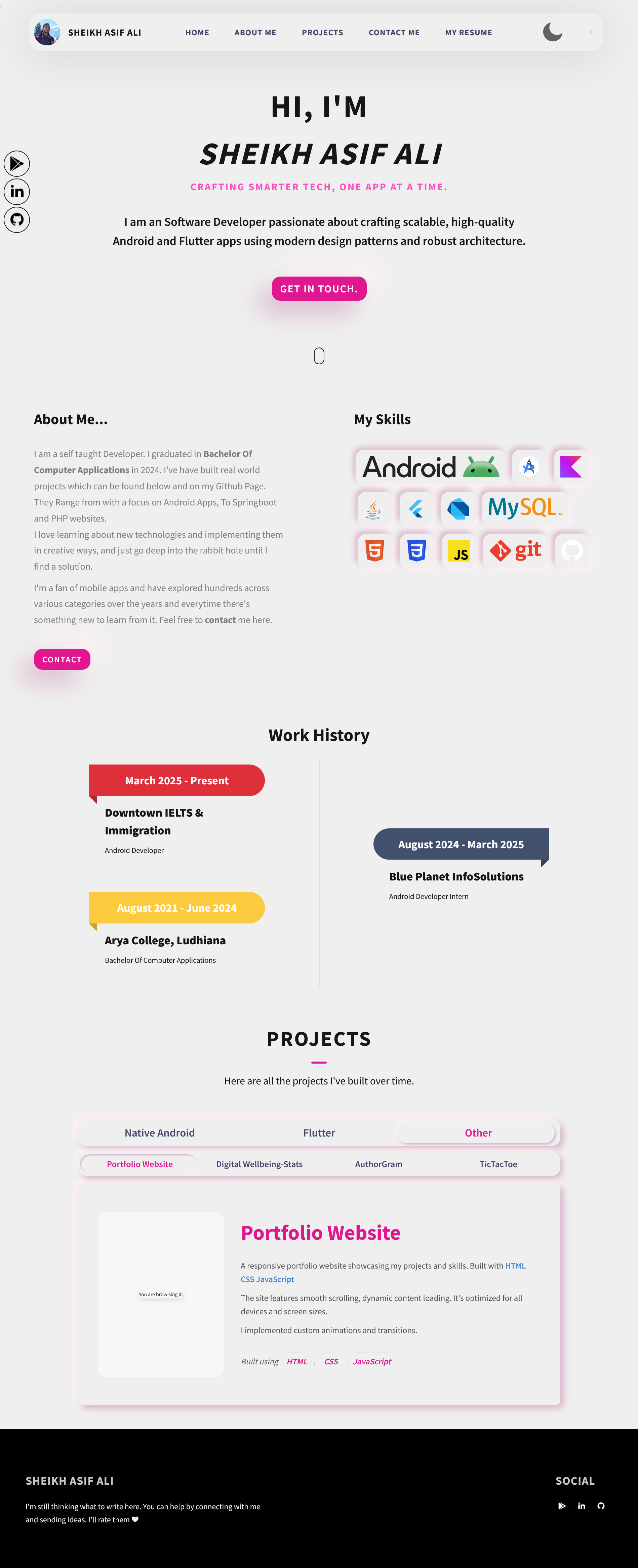
🌟Personal Portfolio 2.0🌟
https://sheikhasif-ali.github.io/ just updated my portfolio to what I will call the 2.0. I had updated it to this new look a few months ago but it wasn't complete like the way i wanted it too. But now it's done. (Well I'll be updating it later too, as i find new things to add, so it will never be "done"). This time I tried using the ✨Neumorphic✨ design system which i just love. It's simple, minimalist and just is so cool to look at. Also used a shade of pink for the entire portfolio as it just looks great. Also made it mobile responsive. And for the best experience while on desktop, hover over any element, and if on mobile try clicking the elements on screen. They POP! Lastly, I'm thinking of recreating this using a Cross-Platform Framework so there's a website and an APP. How cool would that be? But Will it be Flutter, or the newest kid on the block, Kotlin Multi Platform. Stay Tuned To Find Out.
Snakes & Ladder, In Flutter, 9 hours, Why?
Lemme tell about the time I made a snakes & ladder clone in flutter in 9 hours (roughly), and why. Well, this wasn't a project but rather an assignment from a company I applied at. After multiple rounds of interviews, I was given a doc at around 9 AM that had the requirements, and I was supposed to show the working product at around 6 to 7 PM. So I had 9 hours to build a game, something I had never done before. But I was allowed the most powerful tool at that time: AI. It wasn't that capable at that time, but it was still faster to prototype stuff. So I started building, and by the time the 9 hours ended, I was almost done, just missing the finishing touches. Afterward, I was asked questions about everything. The AI wrote a lot of the code, but the question was did I know myself what it wrote. The answer was I did, for the most part, though a few answers I couldn't give. The result? Yeah, I wasn't selected, but that's not something to take as a loss realistically. I cleared a lot of rounds before that, and only clearing them did I proceed to the next level. It was fun creating something on the spot, with not much to go on. I realized if I want, I could do things I previously thought were impossible, and the end results speak for themselves. One of the best personal/assignment type projects I've made. It's been almost exactly a year since then and I've learnt a lot. A lot of it isn't shown here, on my LinkedIn, or anywhere currently because updating takes time and I like to do things with polish. I'm like that. I think a lot so the slightest details don't get missed, and the final product is like that fine adrak lachi chai you drink on a rainy day with pakoras on the side. I have more to show, other things I've been working on and all, cuz this is just the beginning. Let's see what comes next.